










How to build an item sorter in Minecraft
A hopper item sorter that is overflow-proof and tileable, tested on a Java 26.3 server: 41 filter items, 3 dust, and a 3D plan to copy slice by slice.
On this page · 7
What you need
- Hopper ×12
- Redstone Comparator ×4
- Redstone Repeater ×4
- Redstone Torch ×4
- Redstone Dust ×12
- Barrel ×4
- Stone Bricks ×24
- Hopper ×1
- Chest ×2
- Planks (any wood)= 40 logs, any wood ×160
- Iron Ingot1 stack + 1 ×65
- Stone ×48
- Redstone Dust ×40
- Nether Quartz ×4


Gathered 0 / 9Raw = everything broken down with our recipes
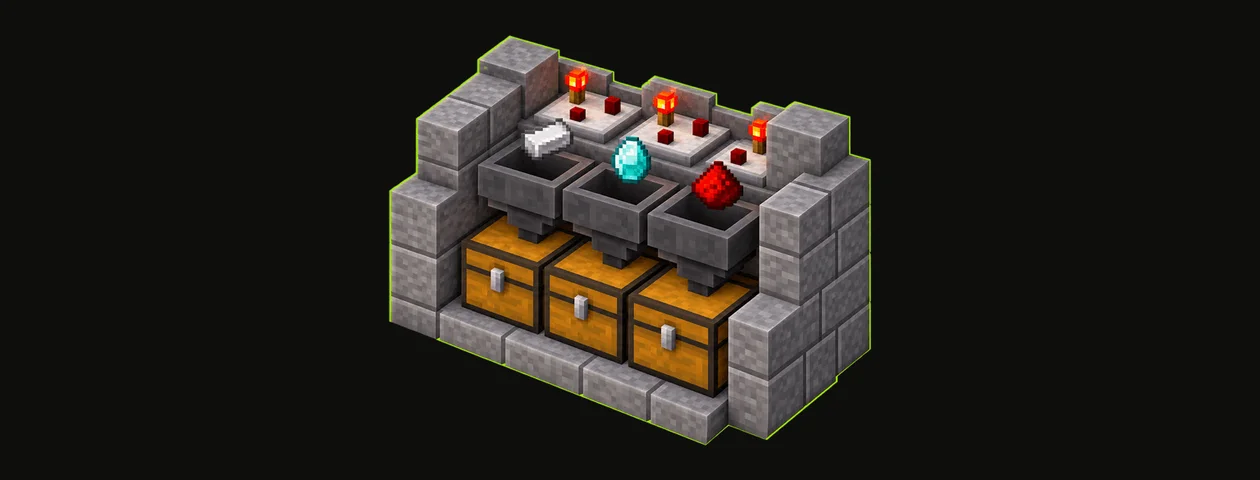
This sorter takes mixed items from one chest and drops each kind into its own Barrel. Each slice is 1 block wide, so you can line up as many as you need. We built it on a Java Edition 26.3 server, sorted mixed items through it, then filled a barrel to make sure the overflow goes to the last chest without breaking the other slices.
Item sorter
- Size (W × H × D)
- 6 × 6 × 5
- Blocks placed
- 51
- Block types
- 8
- Layers
- 6
- Difficulty
- Easy
- Main material
- Stone
- All blocks since
- 1.14
- Survival
- Yes
- ID
Layer by layer
Seen from above, north at the top. The layer below shows faded.
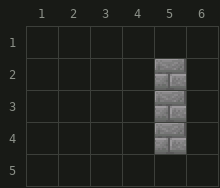
 Stone Bricks× 3
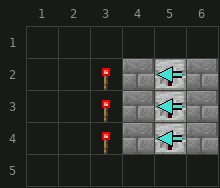
- Stone Bricks× 6
 Redstone Torch× 3
 Redstone Repeater× 3
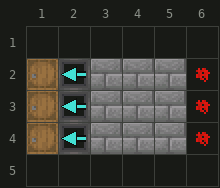
- Stone Bricks× 9
 Barrel× 3
 Hopper× 3
 Redstone Dust× 3
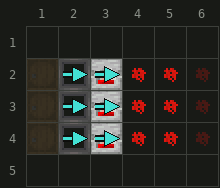
- Redstone Dust× 6
- Hopper× 3
 Redstone Comparator× 3
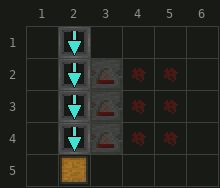
- Hopper× 4
 Chest× 1
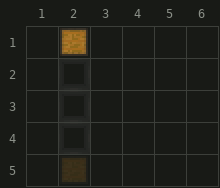
- Chest× 1
- NNorth is up
- Stairs: the arrow points to the tall side
- Hollow arrow: upside-down stairs
- Corner mark: slab in the top half
- Faded: layer below
- Blue arrow: way the part faces (piston pushes, observer watches, hopper empties, repeater and comparator send the signal); dot: up, cross: down
Materials
Stone Bricks 18 Hopper 10 Redstone Dust 9 Redstone Torch 3 Redstone Repeater 3 Barrel 3 Redstone Comparator 3 Chest 2 51 items · 8 inventory slots · 1 Shulker box


151 items · 6 inventory slots · 1 Shulker box
// Estimated from the crafting recipes, rounded up. Glass, stone and smooth blocks are traced back to what you smelt.
Get it in your world
/place template blockaria:item_sorter ~ ~ ~Places the build with its north-west bottom corner at your position. Needs cheats (permission level 2).
/place template blockaria:item_sorter ~ ~ ~ clockwise_90Structure file (.nbt) for Java Edition. Put it in saves/<world>/generated/blockaria/structure/, then run the command above or load it with a Structure Block.
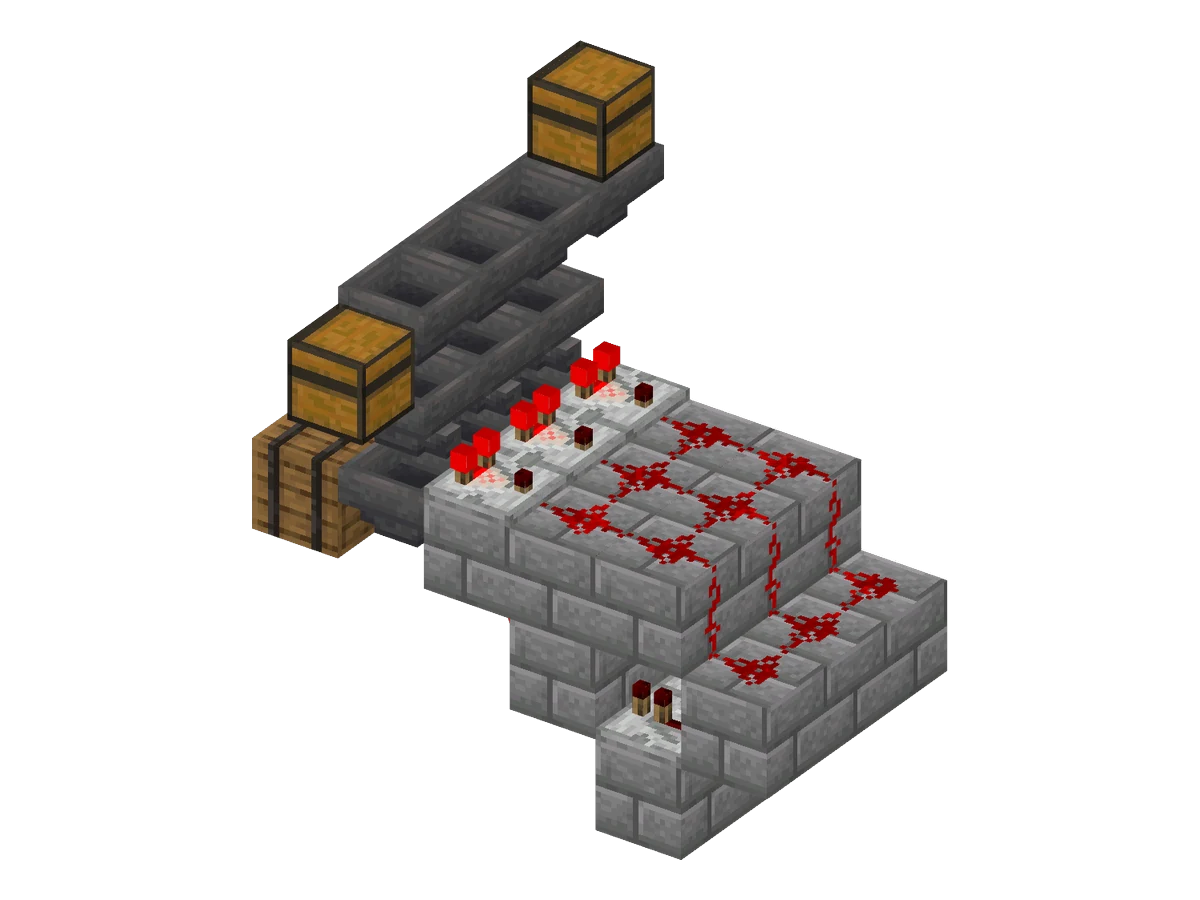
Orientation used below: you stand in front of the barrels. Behind each barrel is a column of 3 hoppers, and behind that the redstone of the slice. The plan shows 3 slices; build one, test it, then repeat it to the side.
Place the barrels and the bottom hoppers
- Put a row of Barrels on the floor, one per kind of item (layer 3 of the plan). Barrels never join together, unlike chests.
- Behind each barrel, place a Hopper pointing into it: sneak and click the back of the barrel.
Add the filter hoppers on top
On each bottom hopper, place a second Hopper pointing away from the barrel, toward the back (layer 4). A hopper points into the block you click: put a temporary block behind the spot, sneak and click its front face, then break the temporary block. It must not point down: a hopper pushes into the one below even when that one is locked, and the filter would empty.
Lay the hopper line and the chests
- On top of the filter hoppers, place a line of Hoppers, each pointing into the next one along the row (layer 5). Start with the overflow chest at the far end and sneak-click each new hopper onto the previous one.
- At the start of the line, add one more hopper with a Chest on top of it: this is where you put the items to sort.
- At the end, the last line hopper points into a second Chest: the overflow chest, for items that have no slice.
Wire the comparator, dust and repeater
- Behind each filter hopper, place a block one level lower, then a Redstone Comparator on it, pointing away from the hopper (layers 3 and 4). It reads the filter.
- Continue backward: two blocks in a row at the comparator's level minus one, with Redstone Dust on top, then a third block one level lower with the third dust on it (layers 3 and 4). The dust steps down at the end.
- Under the second dust's block, place a Redstone Repeater pointing toward the hoppers, sitting on its own block (layers 1 and 2). It reads the block under the third dust.
- In front of the repeater, a solid block. On the side of that block facing the hoppers, place a Redstone Torch (layer 2). It sits right under the comparator's block.
The lit torch powers the block above it, the comparator's block, which locks the bottom hopper next to it. When the filter gets an extra item, the signal reaches the repeater, the repeater turns the torch off, and the bottom hopper takes exactly one item.
Fill each filter hopper
- Rename 4 items in an Anvil (1 level each), for example 4 Sticks called "Filter". A renamed item never stacks with a normal one, so nothing from the line can join it.
- Put 41 of the item to sort in the first slot of the filter hopper, then one renamed item in each of the 4 other slots.
- For an item that stacks to 16, such as Ender Pearls, put 10 in the first slot instead of 41.
The comparator signal of a hopper is the fill level of its 5 slots scaled to 1 to 15: 41 items plus 4 gives 2, one more gives 3, a full filter (64 plus 4) still gives 3. Three dust turn 2 into nothing and 3 into 1, and since the signal never goes above 3, the dust of one slice never sets off its neighbor.
Test and extend it
Drop a mix of items in the top chest. Each hopper moves one item every 8 game ticks, so the line sorts 2.5 items per second. Each matching item ends in its barrel, the last one waits in the bottom hopper until the next arrives, and everything else reaches the overflow chest. To sort more kinds, copy a whole slice to the side and give it a new filter.
Java and Bedrock
The filter counts come from the Java Edition comparator formula, and we tested the sorter on Java Edition 26.3 only. Bedrock sorters often use other counts: do not copy these numbers to Bedrock without testing them in a creative world.
FAQ
Why 41 items in the filter hopper?
The comparator reads how full the hopper is. 41 items plus 4 single items give a signal of 2, which dies out over 3 dust. One more matching item gives 3, which reaches the repeater. Even a completely full filter only reaches 3, so it never triggers the next slice.
How do I sort items that stack to 16?
Ender Pearls, Eggs, Snowballs and signs fill a hopper 4 times faster. Put 10 of them in the first slot and the 4 unique items in the others. Items that do not stack cannot be sorted this way.
What happens when a barrel is full?
The bottom hopper fills, then the filter hopper fills up to 64. After that, that item stays in the line and ends in the overflow chest. Empty the barrel and the slice starts again on its own.
Why is one item left in each bottom hopper?
The bottom hopper pulls one item each time it unlocks, and only pushes it into the barrel the next time. The last item of a batch waits there until the next one arrives.
Blocks & items in this guide
11 · recipe, drops and data for each- Hopper
- Barrel
- Chest
- Redstone Comparator
- Redstone Dust
- Redstone Repeater
- Redstone Torch
- Stone Bricks
 Anvil
 Stick
 Ender Pearl